Meta CAPI x KartmaX

KartmaX now supports Meta Conversions API, enabling server-side event tracking for improved accuracy and reliability.
If you're already using pixel-based tracking, this update enhances your setup by allowing events to be sent directly from the server - reducing data loss and improving attribution.
Overview
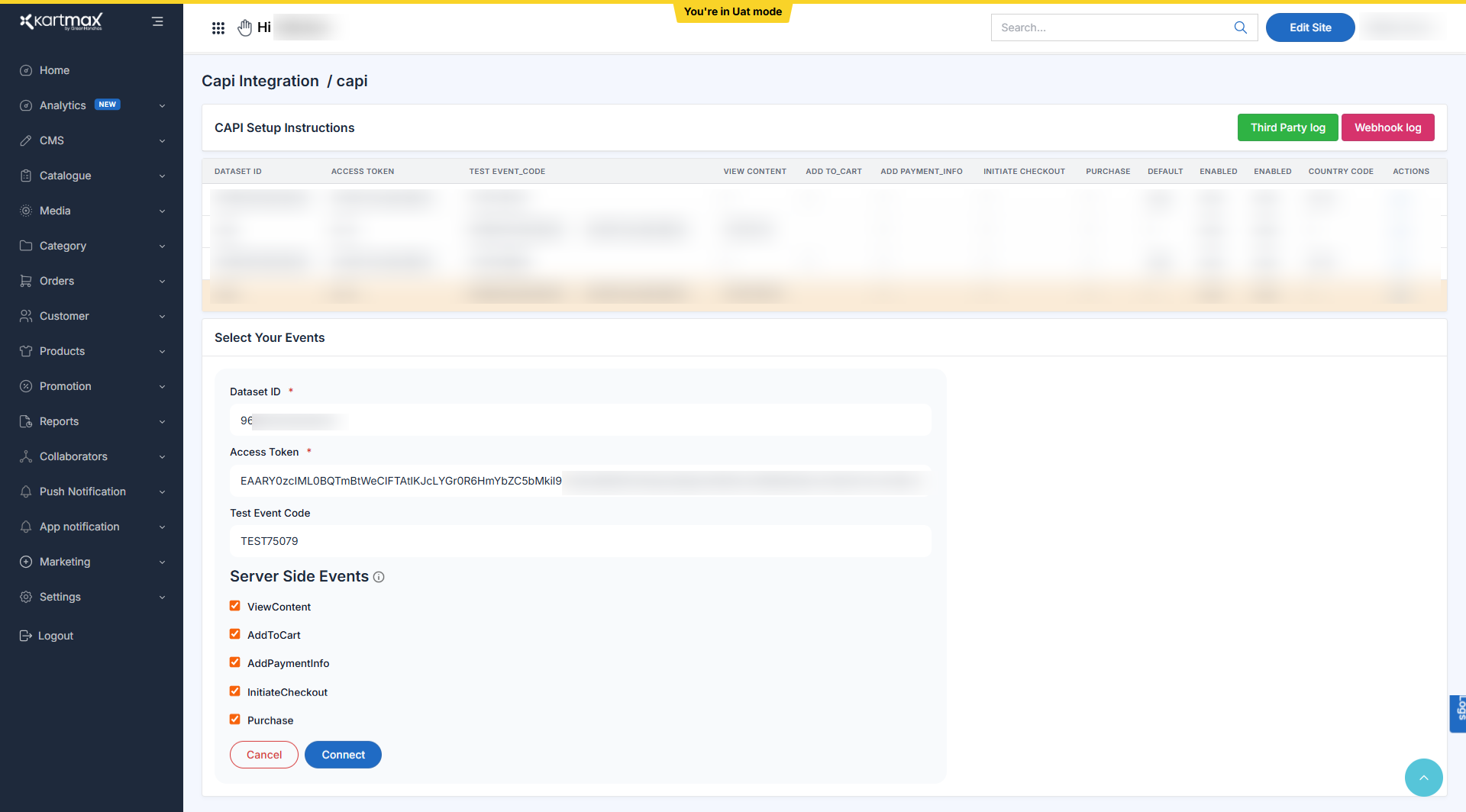
You can now configure Meta CAPI directly from the Kartmax admin by providing required credentials and selecting the events to be sent from the server.
What's New
1. CAPI Configuration Fields
- Dataset ID
- Access Token
- Test Event Code
2. Server-Side Event Selection
You can now control which events are sent via server-side tracking:
- ViewContent
- AddToCart
- AddPaymentInfo
- InitiateCheckout
- Purchase
This gives flexibility to send only relevant events based on your tracking strategy.
3. Event Deduplication via event_id
KartmaX now generates a unique event_id in the data layer.
This enables:
- Deduplication between:
- Browser(Client-side) events
- Server-side (CAPI) events
Result: No double counting in Meta Events Manager
How to Enable Meta CAPI on KartmaX
Step 1: Navigate to CAPI Integration
- Go to Integration -> CAPI
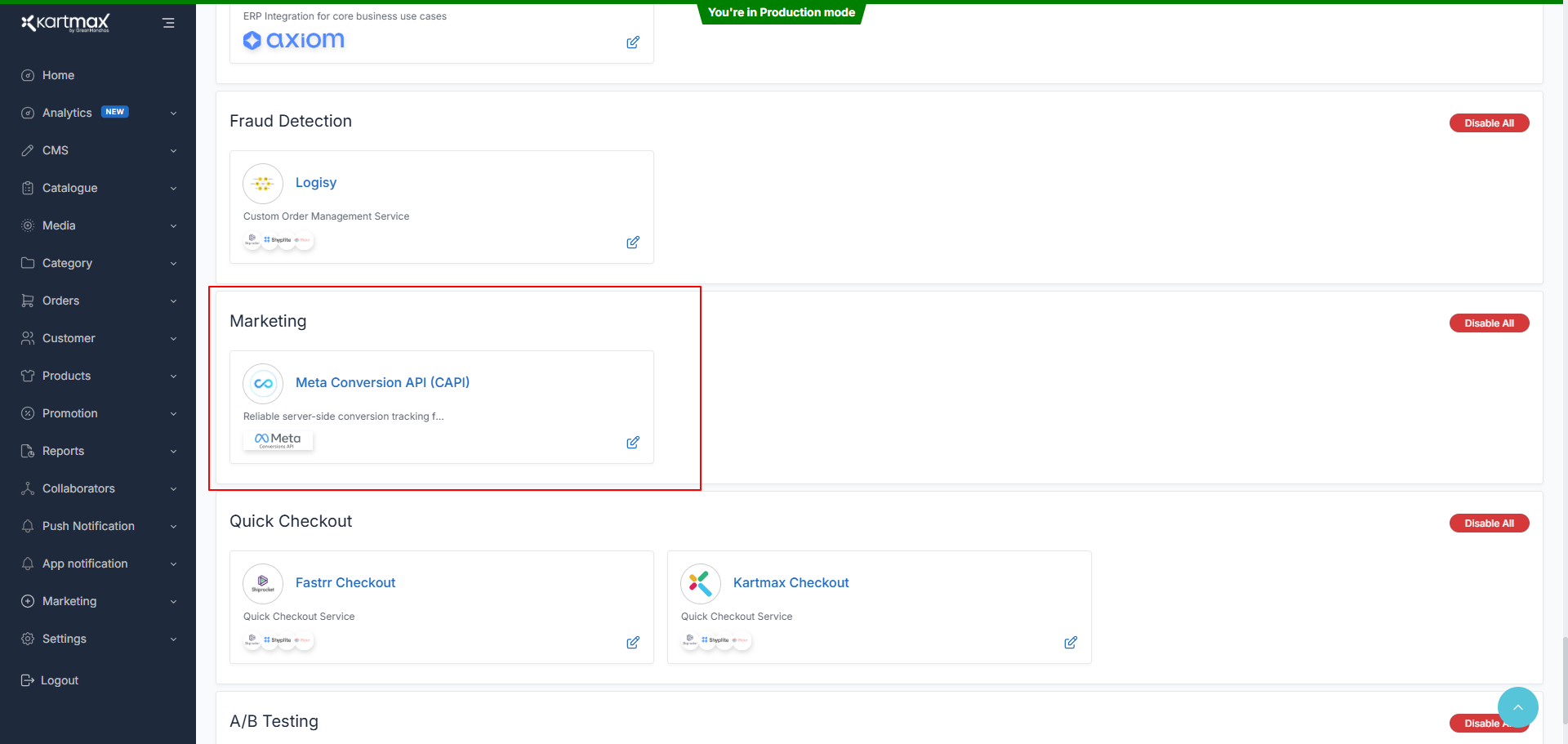
- Open the CAPI configuration panel
Step 2: Enter Meta Credentials
- Add:
- Dataset ID
- Access Token
- Test Event Code
Ensure these are generated from your Meta Events Manager.
Step 3: Select Server-Side Events
- Choose the events you want to send via CAPI:
- ViewContent
- AddToCart
- AddPaymentInfo
- InitiateCheckout
- Purchase
Step 4: Connect Integration
- Click on Connect
- Your server-side tracking will be activated
Step 5: Validate via Test Events
- Use the Test Event Code to verify events in Meta Events Manager
- Ensure events are being received correctly from server-side
What This Means for You
- Improved tracking accuracy (less dependency on browser)
- Better attribution for conversions
- Reduced data loss due to ad blockers or browser restrictions
- Clean event tracking with deduplication
Note
Meta CAPI ensures your tracking setup is more reliable and future-proof as browser-based tracking becomes less dependable.
Use this alongside your existing pixel setup to maintain a complete and accurate view of your customer journey.
Need help setting this up? Reach out to your brand manager.
- Team KartmaX