Download PLP Products - via Category URL

This module allows you to fetch and download all products from a category (PLP URL) in a structured format.
How It Works
Navigate to Category >> PLP style codes and enter the PLP URL.
Click Submit —> system fetches all products mapped to that category and generates a downloadable file.
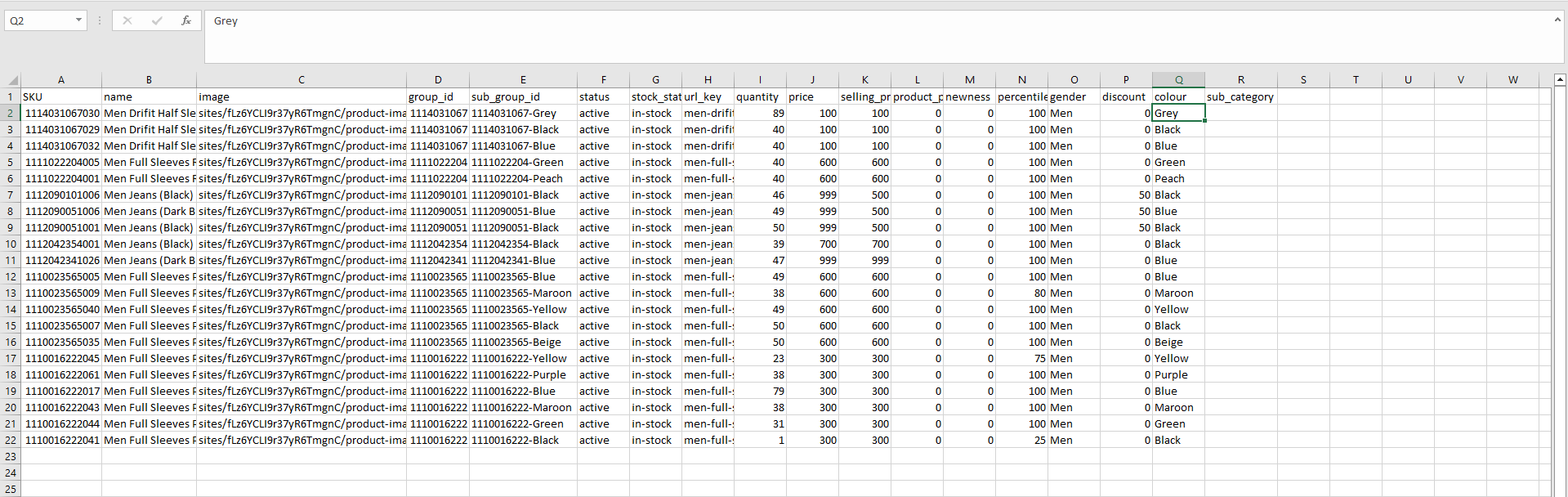
Output Format (CSV / Excel)
Key Capabilities
- Pull all products from a category
- Supports filtered PLP URLs
- Includes variant-level data
- Ready for catalog audit / merchandising / exports
Final Step
👉 Click Submit —> Download file generated